
OTP Verified but Login Failed: Jai Club Account Error Breakdown
Understand why OTP verification may succeed while Jai Club account login still fails, including session errors, password checks, network issues and account-security considerations.
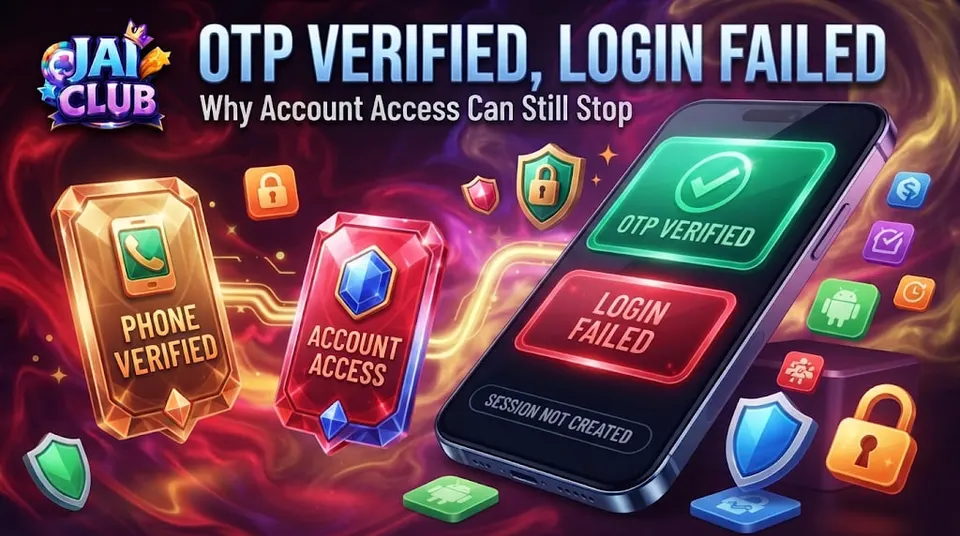
In this article
- What Does OTP Verified Mean?
- Why OTP Success Does Not Always Complete Login
- OTP Verification vs Login Session
- Common Reasons Login Can Fail After OTP
- Network Interruption After Verification
- Session Expired After OTP
- Incorrect Credentials and OTP Success
- New Phone and Existing Account
- Browser Login vs APK Login
- Why an Old App Version May Create Problems
- Temporary Service Errors
- How to Identify the Actual Error Stage
- Example: Three Different Login Failures
- Should You Request Another OTP Immediately?
- Does Clearing Cache Help?
- Recognising a Fake OTP Login Page
- What Information Is Safe to Include in a Support Report?
- Frequently Asked Questions
- Why does Jai Club login fail after OTP verification?
- Does OTP Verified mean I am logged in?
- Can internet problems occur after OTP success?
- Does OTP success prove the password is correct?
- Can an expired session cause repeated login errors?
- Should I keep requesting new OTPs?
- Will clearing cache fix an OTP login error?
- Does changing phones affect login?
- Is an OTP success screenshot proof of account access?
- Should I share my OTP with support?
- Conclusion
An OTP verification screen can show a success message even when the next login step does not complete. For someone trying to access an existing gaming account, this can be confusing. The verification code was accepted, so why is the account still not opening?
The answer is that OTP verification and a completed login session are not necessarily the same process.
An OTP may confirm that a person has access to a particular mobile number or verification channel. A complete login may require additional checks involving account credentials, session creation, security rules or communication with the service.
Quick answer: If OTP verification succeeds but Jai Club login still fails, the issue may be related to a later authentication step, an expired session, network interruption or an account-specific condition. OTP success by itself does not prove that the entire login process has finished.
This guide explains the possible reasons and practical ways to interpret the error. It does not claim access to Jai Club's internal authentication system.
What Does OTP Verified Mean?
OTP stands for One-Time Password.
It is a temporary code used during certain authentication or verification processes.
A service might send an OTP to a registered mobile number to confirm that the person attempting an action can receive messages on that number.
When the code is accepted, the interface may display a message such as OTP Verified or Verification Successful.
However, this message generally refers to the verification step that has just completed.
It does not necessarily confirm that all other account-access conditions have been satisfied.
The next stage may still require the service to create a valid authenticated session.
Why OTP Success Does Not Always Complete Login
Modern authentication systems can contain multiple stages.
A simplified process might begin with account identification, followed by password checking, OTP verification and session creation.
Depending on the system, these stages may occur in a different order.
The important point is that successful completion of one step does not guarantee successful completion of every later step.
For example, an OTP might be accepted, but the application could fail to retrieve the final login response because the network connection dropped.
Another possibility is that the account needs an additional check under the service's security rules.
These are general technical possibilities rather than confirmed Jai Club-specific error causes.
OTP Verification vs Login Session
A login session is the state that allows an application or website to recognise an authenticated user across requests.
An OTP verification confirms something about a particular verification attempt.
The two are related but different concepts.
| Stage | Main purpose | Possible outcome |
|---|---|---|
| Account identification | Identify the account being accessed | Account found or not recognised |
| Credential verification | Check required credentials | Accepted or rejected |
| OTP verification | Confirm temporary code | Valid or invalid |
| Session creation | Establish authenticated access | Session created or failed |
| Account loading | Display authenticated information | Loaded or unavailable |
This table illustrates a general authentication process. A particular app may combine stages or use different steps.
A user should not assume that every success message confirms the final session has been established.
Common Reasons Login Can Fail After OTP
There are several possible explanations for an OTP success message followed by a login failure.
The app could receive the OTP confirmation but lose its connection before obtaining the next response.
The verification process may complete while a previously stored session remains outdated.
The account may require an additional condition that the interface does not explain clearly.
A temporary service problem may also prevent the authenticated screen from loading.
Because these causes can produce similar symptoms, identifying the exact error message is more useful than guessing a single reason.
Network Interruption After Verification
Consider a fictional example.
A user enters a valid OTP and the service accepts it.
Immediately afterwards, the phone switches from Wi-Fi to mobile data and briefly loses connectivity.
The OTP verification may already have been recorded, while the application's next request fails.
The user sees a success message followed by a loading error.
This situation does not mean the OTP itself was incorrect.
It illustrates how two consecutive technical steps can have different outcomes.
The same principle applies to other online services that require several authenticated requests.
Session Expired After OTP
An expired session can create confusion when a user has been signed out or when an earlier login state is no longer valid.
Some applications maintain temporary authentication tokens.
When those tokens expire, the service may require a fresh authentication process.
A user might verify an OTP while the application still has conflicting or outdated local session information.
However, the exact mechanism depends on the software.
A session error should not automatically be treated as an account ban or password problem.
For related Android access issues, read the Jai Club Login Guide.
Incorrect Credentials and OTP Success
In some authentication designs, possession of the mobile number is only one requirement.
The service may also require a valid password, account identifier or other credential.
Therefore, it is possible for a person to verify a phone number while failing a separate account credential check.
This does not mean that OTP verification is useless.
It means that the system is performing more than one type of validation.
Readers should use the credentials associated with the intended account and avoid repeatedly guessing passwords.
Repeated incorrect attempts can trigger additional security restrictions on some services.
New Phone and Existing Account
A user accessing an account on a new Android phone may encounter additional authentication steps.
The new device does not automatically contain the same local session data as the previous phone.
An OTP may help verify ownership of a registered mobile number, but it does not guarantee that every account setting or session requirement has been satisfied.
Some services may apply device-recognition or security checks.
These rules vary by operator.
Users should rely on legitimate recovery procedures rather than trying to bypass account protections.
Browser Login vs APK Login
A login page opened in a browser and a login page inside an installed application may use different local storage arrangements.
Browser cookies, site data and application storage are separate areas.
A login error occurring in one environment does not automatically establish that the account itself is unavailable.
However, differences between interfaces should not be used as proof that either source is authentic.
A browser page or APK should be verified before any credentials are entered.
For general package information, see the Jai Club APK Guide.
Why an Old App Version May Create Problems
Application software may rely on particular network requests and authentication formats.
If the software becomes incompatible with the current service, some login steps may fail.
However, users should not automatically download an APK from a third-party link merely because an error message suggests an update.
The source and publisher need verification.
A familiar logo or file name is not enough to establish authenticity.
An unknown application requesting OTP access or sensitive permissions could create security risks rather than solve the problem.
Temporary Service Errors
An account-login system depends on remote infrastructure.
A temporary service error can interrupt the process even when the user provides valid information.
For example, the OTP-verification component might respond successfully while another account-access component becomes unavailable.
This is technically possible in systems that use multiple services.
However, a user cannot confirm that a server outage occurred merely from one failed login screen.
The correct conclusion is that a service-side issue is one possibility among several.
How to Identify the Actual Error Stage
The most useful information is the stage at which the process stops.
If the OTP is rejected, the problem concerns verification.
If the OTP is accepted but the session does not open, the next authentication or loading stage may be involved.
If the authenticated screen briefly appears and then signs out, the symptom may be related to session persistence.
These are different situations.
A clear description should record the visible message, approximate time, device environment and the stage at which access failed.
There is no need to share the OTP value itself.
Example: Three Different Login Failures
| Fictional situation | Visible symptom | What it suggests |
|---|---|---|
| Example A | OTP rejected | Verification did not complete |
| Example B | OTP accepted, account screen does not load | Later step or connectivity issue |
| Example C | Account opens, then immediately signs out | Session persistence issue |
The table explains how similar-looking login problems may occur at different stages.
It does not diagnose a specific Jai Club incident.
The exact cause requires information from the relevant account service.
Should You Request Another OTP Immediately?
A new OTP may be appropriate if the previous one expired or was rejected.
However, requesting codes repeatedly is not always helpful when the original verification already succeeded.
The later login problem may be unrelated to the code.
Repeated requests may also create confusion about which code remains valid.
Some systems apply time limits or request restrictions.
The safer approach is to understand the visible error and use the service's legitimate verification flow.
Does Clearing Cache Help?
Clearing temporary application cache may sometimes address a local display problem.
However, it is not a universal fix for authentication failures.
Clearing all app storage is a different and more disruptive action that may remove saved sessions and local settings.
Users should not reset application data without understanding the consequences.
Similarly, an account held on a remote server is not automatically deleted by clearing local cache.
The appropriate action depends on whether the problem involves local data, network communication or remote authentication.
Recognising a Fake OTP Login Page
A fraudulent page may imitate a familiar login interface and request a mobile number or verification code.
A success message displayed by such a page does not prove it belongs to the intended service.
Attackers can copy logos, interface colours and familiar wording.
Users should therefore verify the source before entering account information.
Never give an OTP to a person claiming to be support staff.
A legitimate troubleshooting process should not require sending a private verification code to an unknown contact.
What Information Is Safe to Include in a Support Report?
A useful report may include the general error message, Android version, approximate time and whether the issue occurs in a browser or installed app.
A screenshot can help show the visible symptom.
However, passwords, OTP values, recovery codes and private account information should be hidden.
The report should be sent only through a verified support channel belonging to the intended service.
A messaging account using a familiar name is not sufficient proof of authenticity.
Frequently Asked Questions
Why does Jai Club login fail after OTP verification?
Possible causes include a later authentication failure, expired session, network interruption or account-specific condition.
Does OTP Verified mean I am logged in?
Not necessarily. The verification step and completed login session may be separate.
Can internet problems occur after OTP success?
Yes. The next network request may fail even when the OTP was accepted.
Does OTP success prove the password is correct?
Not in every authentication design. Different checks may be performed separately.
Can an expired session cause repeated login errors?
Yes. Session-related problems can interrupt account access.
Should I keep requesting new OTPs?
Not automatically. A new code may not fix a failure occurring after verification.
Will clearing cache fix an OTP login error?
It may help a local display problem, but it cannot fix every authentication issue.
Does changing phones affect login?
It can require a new authentication session or additional security checks.
Is an OTP success screenshot proof of account access?
No. It only documents the visible verification message.
Should I share my OTP with support?
No. Keep OTPs and other authentication credentials private.
Conclusion
An accepted OTP does not always mean the full login process has completed.
Verification, account checks and session creation may be separate stages, and a problem can occur after the code is accepted.
Understanding the stage of failure is more useful than repeatedly requesting OTPs or downloading unfamiliar software.
Users should protect their credentials, verify the service source and use legitimate recovery procedures when access remains unavailable.
For broader account information, see the Jai Club Login Guide.
Editorial note: This article explains general authentication concepts. It does not claim access to Jai Club's private account systems or verify a particular login failure.