Wingo Internet Disconnect: Why a Round Finishes While You Are Offline
Understand what may happen when an internet connection drops during a Wingo round, why a countdown can freeze on a phone and how local displays differ from completed server-side results.
In this article
- What Happens When Wingo Internet Disconnects?
- Wingo Countdown Timer vs Server Time
- Why a Round May Finish While You Are Offline
- Example: Thirty Seconds Without Internet
- Does a Frozen Countdown Mean the Round Stopped?
- What if the Screen Still Shows the Previous Result?
- Wingo Round ID After Reconnection
- Can You Miss the Final Result Animation?
- Mobile Data vs Wi-Fi Interruptions
- What Is Network Latency?
- Packet Loss and Incomplete Updates
- App Background Restrictions
- What About the Phone Clock?
- Can a Result Change After Reconnection?
- What Happens to a Submitted Entry?
- Why Repeated Tapping Can Cause Confusion
- Wingo Result History After an Outage
- Internet Problems vs Game Server Problems
- Can Offline Results Be Predicted?
- Common Wingo Disconnection Mistakes
- Frequently Asked Questions
- Can a Wingo round finish while my phone is offline?
- Does losing internet pause the game for everyone?
- Why does the Wingo countdown freeze?
- Can the result appear after reconnecting?
- Does a frozen result mean it has changed?
- What is the importance of a round ID?
- Does tapping a button confirm the server accepted my action?
- Can mobile data switching cause delays?
- Does clearing cache fix every Wingo network issue?
- Can disconnection reveal the next winning number?
- Conclusion
Wingo games commonly use timed rounds, number results and historical records. During a round, the screen may show a countdown that updates every second.
However, a mobile phone can lose internet access while the countdown is still running. The screen may freeze, a result panel may stop updating or the app may display an error.
This raises an important question: can a game round finish even when the user is temporarily offline?
Quick answer: In an online game where the server controls the round schedule, losing the internet connection on one device does not necessarily stop the round itself. The game may continue remotely while the disconnected phone displays outdated information. The actual behaviour depends on the service's implementation and rules.
This guide explains network interruptions, local countdowns, server-side timing and the difference between a frozen screen and a completed result. It does not claim to have independently tested Jai Club's internal server behaviour.
What Happens When Wingo Internet Disconnects?
An internet disconnection interrupts communication between the user's device and the remote service.
The phone may no longer receive updated game information.
Depending on the application, the interface might display a network error, continue showing the last received data or stop certain functions until connectivity returns.
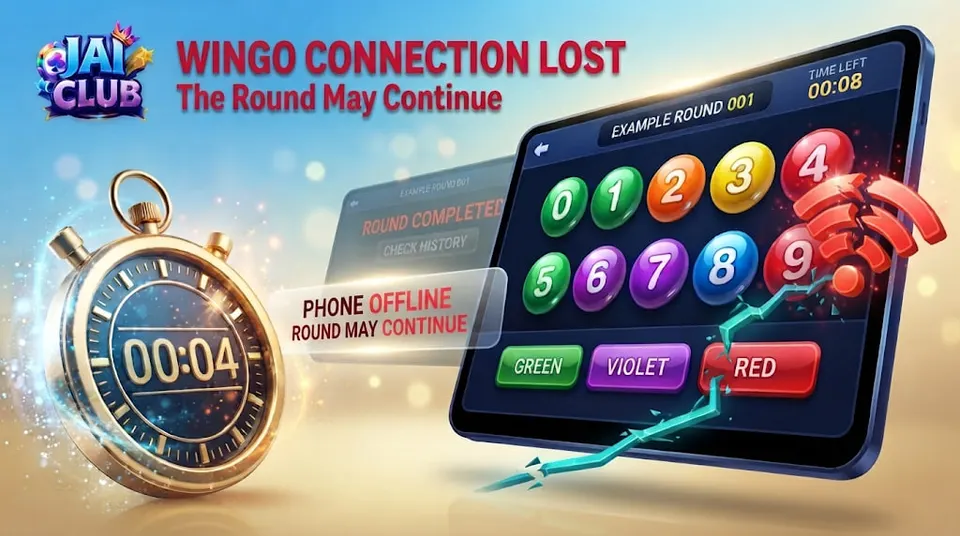
A countdown could freeze on the screen even while the remote system moves to the next stage.
This difference is important because the phone's visible state and the server's internal state are not necessarily identical.
A frozen countdown is therefore not proof that the entire game stopped.
Wingo Countdown Timer vs Server Time
A countdown timer is a visual representation of the time remaining in a particular game stage.
The authoritative timing mechanism, if the game uses a central server, may operate independently of the player's phone.
The device receives information about the round and may calculate or display a countdown based on that information.
If the network connection fails, the displayed timer may no longer reflect current server conditions.
Some applications may continue a locally estimated countdown, while others may stop updating.
Both behaviours are technically possible.
The exact approach used by a particular Jai Club Wingo version requires verification.
Why a Round May Finish While You Are Offline
An online game can maintain a central schedule for participants connected from different devices.
If one user disconnects, the underlying round schedule may continue for everyone else.
For example, imagine a fictional round that closes at 14:05.
A phone loses its internet connection at 14:04:50 and remains offline for thirty seconds.
When connectivity returns, the remote system may already have completed that round and begun another.
The phone's previous display does not necessarily describe the current stage.
This is a general client-server example rather than a claim about the precise Jai Club architecture.
Example: Thirty Seconds Without Internet
Consider this fictional timeline:
| Event | Example time |
|---|---|
| Round begins | 14:04:00 |
| Phone disconnects | 14:04:50 |
| Scheduled round closes | 14:05:00 |
| Phone reconnects | 14:05:20 |
| Updated result becomes visible | After reconnection and refresh |
The phone is offline when the scheduled round closes.
A centrally managed game could still complete the round during that interval.
The example does not establish that every disconnected device behaves the same way.
It illustrates why visible phone timing and remote round timing must be distinguished.
Does a Frozen Countdown Mean the Round Stopped?
Not necessarily.
A countdown displayed on the device is a user-interface element.
If it freezes because the application stops receiving updates, the underlying service may continue operating.
A local timer can also behave incorrectly because of device performance, background restrictions or software faults.
The correct diagnosis depends on whether the problem involves the display, network connection or remote system.
Readers should avoid treating a frozen counter as direct evidence that the round's actual deadline changed.
What if the Screen Still Shows the Previous Result?
After an internet interruption, the application may continue displaying information cached before the connection failed.
For example, a result-history panel might show the previous period even though the next result has already been recorded remotely.
A user could mistakenly interpret this as the new result.
The important step is to check the relevant period number.
A repeated digit on screen does not prove that the same outcome occurred in two different rounds.
The screen may simply be outdated.
Wingo Round ID After Reconnection
A round ID identifies the event associated with a particular result.
After reconnecting, a game interface may display a later period than the one previously visible.
For example, the phone may have disconnected while showing EXAMPLE-101 and returned when EXAMPLE-102 was active.
The earlier round may have finished during the interruption.
A user should not assume that the currently displayed number belongs to the previously observed period.
The completed history, where available, can help distinguish the two events.
Can You Miss the Final Result Animation?
Yes, in a general online game design, a device that is offline may fail to receive or render certain visual updates.
When the connection returns, the app might show a completed record rather than replay every missed animation.
The precise behaviour depends on the game's interface.
Missing an animation does not necessarily mean the corresponding result was never recorded.
Visual presentation and stored outcome information are separate concepts.
A complete recorded history is more useful for reviewing a round than expecting every animation to be reproduced.
Mobile Data vs Wi-Fi Interruptions
Network problems can occur on both mobile data and Wi-Fi.
A phone may switch between networks, lose signal or temporarily fail to communicate with a service.
Wi-Fi may remain connected to the router even when the router has lost internet access.
Similarly, a mobile data icon can remain visible while the actual connection is unstable.
Therefore, the presence of a network symbol does not always prove that real-time communication is working correctly.
A troubleshooting explanation should distinguish local network connectivity from access to the game service.
What Is Network Latency?
Latency describes the delay between sending information and receiving a response.
A connection may be active but slow.
In a timed game, this can affect how quickly a device receives updated round information.
For example, a result recorded on a remote system may appear later on a phone because the response was delayed.
This does not automatically mean the actual result was generated later.
However, without reliable timing records, users should avoid confidently assigning the cause to latency.
The delay could involve several parts of the system.
Packet Loss and Incomplete Updates
Network communication sends information in packets.
If packets are delayed or lost, an application may need to retry communication or wait for new responses.
A screen might continue showing older information during that process.
Some software displays a loading indicator, while other applications may not clearly explain the interruption.
The visible symptom can resemble a frozen game.
However, packet loss should not be diagnosed solely from a screenshot.
Network measurements or technical records would be needed to establish the cause.
App Background Restrictions
Android devices may limit certain application activities when an app runs in the background.
Battery optimisation and other power-management settings can affect how software performs.
When the user returns to an application, it may need to reconnect and retrieve updated information.
This can make the interface appear temporarily outdated.
Such behaviour is not unique to gaming apps.
However, the exact effect depends on the device, Android version and application design.
A reader should not assume that disabling all battery protection is necessary or safe.
What About the Phone Clock?
A phone clock that is inaccurate can create confusion when comparing local time with server-related timestamps.
However, the visible clock on the device does not necessarily control the actual game schedule.
A centrally managed system may rely on its own timing infrastructure.
A difference between phone time and game time should therefore be examined carefully.
The meaning of each timestamp matters.
For India-based readers, it is also useful to remember that Indian Standard Time is UTC+05:30 when comparing time-zone displays.
Can a Result Change After Reconnection?
A device may display a different value after reconnection because it replaced stale information with a newer record.
That does not necessarily mean a completed outcome was altered.
The previous screen may have belonged to an earlier round or contained information that had not refreshed.
However, genuine discrepancies are possible in software systems and should not automatically be dismissed.
If two authenticated completed records for the same period disagree, the issue requires evidence-based investigation.
The relevant round identifier is essential.
What Happens to a Submitted Entry?
The status of an entry depends on whether the relevant service received and accepted it before the applicable deadline.
A user may tap a button on the phone, but that action does not by itself prove the remote server recorded the request.
If the network fails before an acknowledgement is received, the outcome of that submission may be uncertain from the device alone.
A completed transaction or entry record, where the service provides one, is more informative than a button press or animation.
This guide does not invent Jai Club's specific submission, cancellation or settlement policy.
Those conditions require the operator's actual rules.
Why Repeated Tapping Can Cause Confusion
When a screen appears unresponsive, a user may tap the same control repeatedly.
However, repeated actions can make it harder to understand what the application actually received.
Depending on the software, some actions might be rejected, ignored or processed differently.
It is therefore unwise to assume that each tap had the same effect.
The safest interpretation depends on the acknowledgement and recorded status supplied by the service.
If the status is unclear, users should avoid making further financial assumptions based only on the visible animation.
Wingo Result History After an Outage
A completed result history can help identify which rounds occurred while a device was disconnected.
For example, a user who missed two result animations may still be able to review those periods through the service's history interface.
Whether that feature is available and how far back it extends depends on the game.
Historical records should be checked using the correct period numbers.
A screenshot taken after reconnection should not be compared with an earlier screenshot unless both refer to the same event.
For general number and result terminology, read the Jai Club Wingo Guide.
Internet Problems vs Game Server Problems
A local internet problem affects the user's ability to communicate with the service.
A server-side problem affects the service's own operations.
The two can produce similar visible symptoms, including loading errors and delayed results.
A single user seeing a frozen screen does not establish that the entire service is offline.
Likewise, several people reporting a problem does not automatically identify the technical cause.
Reliable diagnosis requires appropriate network and server information.
A responsible educational guide should distinguish possible causes from confirmed findings.
Can Offline Results Be Predicted?
No reliable prediction follows from an internet disconnection.
Losing connectivity does not provide access to future game outcomes.
Similarly, a frozen countdown does not mean the user can identify the next number through a hidden pattern.
Claims that a disconnected app reveals guaranteed results are not supported by ordinary networking principles.
The correct interpretation is that the local display may be outdated or incomplete.
Historical outcomes and network delays do not automatically establish a forecasting method.
Common Wingo Disconnection Mistakes
One mistake is treating a frozen countdown as proof that the remote round stopped.
Another is assuming that a tap was successfully recorded without checking the service's acknowledgement.
Some users compare the wrong period numbers after reconnecting.
Others interpret an updated screen as evidence that the previous result was changed.
A further mistake is blaming the device cache for every network problem.
The appropriate explanation depends on the actual symptoms and recorded information.
Frequently Asked Questions
Can a Wingo round finish while my phone is offline?
In a centrally managed online game, that is technically possible. The actual behaviour depends on the service.
Does losing internet pause the game for everyone?
Not necessarily. A local disconnection does not usually control a remote server's schedule.
Why does the Wingo countdown freeze?
Possible causes include lost connectivity, delayed updates, background restrictions or software problems.
Can the result appear after reconnecting?
Yes. A device may retrieve updated information once communication is restored.
Does a frozen result mean it has changed?
No. The device may simply be showing older information.
What is the importance of a round ID?
It identifies which completed event a result belongs to.
Does tapping a button confirm the server accepted my action?
Not by itself. An acknowledgement or appropriate recorded status is needed.
Can mobile data switching cause delays?
Yes. Network transitions may briefly interrupt communication.
Does clearing cache fix every Wingo network issue?
No. Cache clearing cannot repair every network or server problem.
Can disconnection reveal the next winning number?
No. Ordinary network failures do not provide reliable future-result information.
Conclusion
A Wingo internet disconnection can interrupt a phone's view of a round without necessarily stopping the underlying online game.
The countdown, remote schedule and completed history should be treated as separate elements.
When the connection returns, the most useful information is the correct period number and its completed recorded result.
Understanding this distinction helps readers avoid confusing local display delays with verified changes to game outcomes.
For broader gaming information, visit the Jai Club Games Guide.
Editorial note: This article explains general client-server behaviour. It does not independently verify Jai Club's specific handling of disconnected entries or round settlement.